Run 3 — Play Free Online
More Runners games
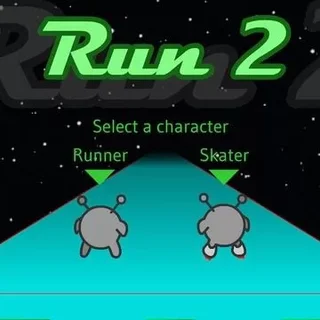
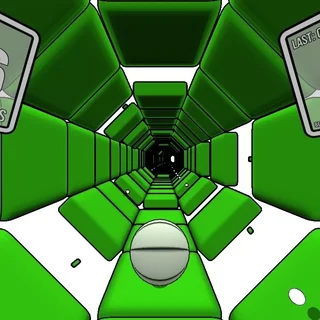



Run 3 is a fast-paced 3D platformer that drops you into floating space tunnels filled with crumbling tiles and bottomless voids. While many endless runners lock you onto a single flat plane, this game treats every surface as a viable path. Drifting toward a left or right wall causes gravity to snap instantly to that surface, rotating the entire corridor around your character.
That dynamic rotation creates a distinct rhythm. Instead of merely reacting to oncoming gaps, you are constantly scanning the ceiling and sidewalls to plan your next landing zone. For players on 1v1.LOL who appreciate sharp movement mechanics and instant restarts after a missed jump, Run 3 provides an addictive test of spatial awareness and reflexes.
Controls and movement
Steering and jumping are mapped cleanly for keyboard play:
- Left and Right Arrows (or A / D): Steer sideways and rotate the tunnel when touching a wall.
- Up Arrow, Space, or W: Jump across pits and hazards.
- Variable Jump Height: Tap the jump key for a short hop over a single missing tile, or hold it down to float across wide chasms.
- Pause / Menu: Press P or Esc to pause the action or return to the level select map.
Core mechanics and game modes
The campaign centers on Explore Mode, where you travel across a branching galaxy map composed of distinct tunnel sectors. Completing stages unlocks alternate paths, cutscenes, and new playable characters such as the Skater, the Lizard, and the Pastafarian. Each alien runner features unique physics, from higher vertical hops to increased horizontal speed, encouraging you to revisit tricky levels with different abilities.
If you prefer an uninterrupted survival challenge, Infinite Mode removes level boundaries entirely. The corridor stretches endlessly forward while the pace gradually accelerates, testing how long you can maintain clean rotations under pressure. Along the way, you can gather power cells to unlock bonus upgrades and character skins.
Tips for longer runs
- Watch tile colors: Standard dark tiles are safe, but light grey tiles crumble the moment your feet make contact. Run across them without stopping or leap clear over them.
- Rotate early: When you see a large chasm ahead on the floor, look at the adjacent walls immediately. Rotating onto a solid side wall before reaching the gap is far safer than attempting a desperate leap.
- Use short hops: Holding the jump button keeps you airborne longer, which can cause you to overshoot narrow landing pads. Use light taps whenever precision matters more than distance.
- Switch characters when stuck: If a specific tunnel sector feels too fast or has gaps that are too wide, switch to a character with stronger mobility or better vertical lift.
Similar games on 1v1.LOL
If you enjoy the fast reflexes and spatial navigation of Run 3, check out other action and precision titles in our catalogue. Tunnel Rush offers another intense 3D corridor sprint focused on dodging rotating barriers at blistering speeds. OvO tests your parkour timing with slides, wall jumps, and precise dives across challenging platform stages. For physics-based obstacle courses with instant restarts, Moto X3M delivers tight timing challenges across hazardous stunt tracks.
Run 3 runs directly in your browser with no downloads or setup required, making it easy to jump in for a quick level attempt or settle in for an extended run through the galaxy map.
Questions about Run 3
How do the gravity rotations work in Run 3?
Whenever your character touches a left or right tunnel wall, the entire tunnel rotates so that wall becomes your new floor, letting you avoid empty gaps.
What is the difference between Explore Mode and Infinite Mode?
Explore Mode follows a branching galactic map with unlockable alien characters, while Infinite Mode challenges you to survive an endless track for a high score.
How do you unlock new characters in Run 3?
You unlock new alien runners by progressing through specific branches in Explore Mode or by saving power cells earned during your runs.
Can you control the height of your jumps?
Yes. Tapping the jump key performs a quick hop over small hazards, while holding the key down delivers higher and longer leaps across wide gaps.