
Basketball Stars — Play Free Online
More Sports games
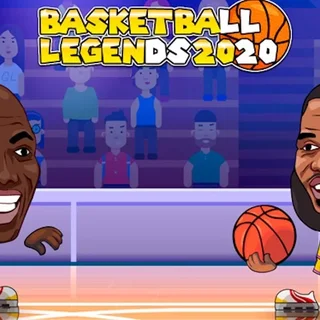



Basketball Stars brings high-energy streetball to the browser with exaggerated character designs, snappy physics, and rapid head-to-head showdowns. Developed by MadPuffers, the game strips basketball down to its purest competitive elements: timing, positioning, and psychological mind games. Whether you are battling through tournament brackets against sharp AI opponents or challenging a friend sitting right beside you, every possession becomes a tense duel of blocks, steals, and rim-rattling dunks.
For players visiting 1v1.LOL, Basketball Stars delivers a familiar thrill. Both games prioritize sharp individual mechanics, immediate reflex checks, and reading your opponent's momentum. Instead of managing a full roster across four quarters, you control a single cartoon athlete across short one-minute halves, making it ideal for quick sessions where every second on the shot clock matters.
How to play
Matches take place on a half-court setup with simple, responsive controls. When playing solo, use the Arrow keys or WASD to navigate the court. Press your jump key to contest shots or leap toward the rim, and press the action key to shoot when on offense or swipe for a steal on defense. Double-tapping the left or right directional keys triggers a quick dash, allowing you to blow past defenders or recover defensively when caught out of position.
Offensive play rewards patience and clever spacing. Tapping the shoot button briefly executes a pump fake to bait defenders into early jumps, opening a clear lane to drive inside. In two-player mode, Player 1 controls their athlete with WASD for movement, B to shoot or steal, and V for super shots, while Player 2 uses the Arrow keys, L to shoot or steal, and K for super shots.
Tips for winning matches
- Master the pump fake: Most opponents jump immediately when you start a shooting motion. Tap the shoot key once to fake, wait for the defender to float helplessly past you, then step forward for an easy uncontested basket.
- Time your blocks carefully: Jumping too early leaves you grounded while the shooter releases at the peak of their arc. Wait until the shooter leaves their feet before pressing jump to swat the ball away.
- Dash for rim protection and dunks: Double-tapping toward the hoop while in motion activates high-flying slam dunks that cannot be easily stolen. Defensively, use the backward dash to prevent fast break drives.
- Save super shots for crucial moments: Your special meter charges as you perform successful offensive and defensive plays. Unleash the flaming super shot from beyond the three-point arc when you need a guaranteed buzzer-beater.
Similar games on 1v1.LOL
If you enjoy the direct competition of Basketball Stars, check out other head-to-head titles on 1v1.LOL. The flagship 1v1.LOL focuses on competitive third-person shooting and rapid building mechanics, while Smash Karts turns arena combat into chaotic multiplayer kart battles. If you prefer high-speed physics challenges rather than duel sports, Moto X3M offers obstacle-heavy stunt courses that test your reaction time.
Basketball Stars is designed for instant play on any desktop or laptop browser. With smooth performance, vibrant animations, and full support for local two-player matchups, it stands out as one of the most accessible and replayable sports arcade games available.
Questions about Basketball Stars
Can two people play Basketball Stars on the same computer?
Yes. Basketball Stars includes a dedicated two-player mode where both players share a single keyboard, using WASD and Arrow key control schemes to compete against each other.
How do you trigger a dunk in Basketball Stars?
Dash toward the basket by double-tapping your movement key, jump as you enter the paint, and press the shoot button to slam the ball through the hoop.
What does the special meter do during a match?
As you score points, grab rebounds, and make defensive stops, your special bar fills up. Once fully charged, activating it triggers an unstoppable super shot from anywhere on the court.
Do I need to install any plugins or files to run the game?
No installation or account is required. The game runs directly in any modern desktop or laptop web browser using standard HTML5 technology.
More games





Player tips & comments (2)
- Player
make the game harder
- Player
the ai is to easy